
The three major ecosystems
Home automation in Canada revolves around three voice assistant ecosystems: Amazon Alexa, Google Home (Google Assistant), and Apple HomeKit (Siri). Each has different strengths, and each uses different approaches to connecting devices. Understanding the distinctions before purchasing hardware prevents compatibility problems later.
Amazon Alexa
Alexa is the most widely supported voice assistant among third-party device manufacturers. The Alexa ecosystem spans thousands of devices from switches and plugs to cameras, door locks, and HVAC controls. Devices connect through Alexa Skills — essentially integration modules that link a device's cloud to the Alexa cloud. Local processing (where commands don't need to traverse the internet) is available on Echo Plus and Echo devices with built-in Zigbee hubs, and on devices certified for Alexa Local Voice Control.
Google Home
Google Home's assistant operates across Google Nest Hub displays, Google Nest Mini speakers, and Android devices. Device support has grown steadily and now covers most major brands. Google Home routines allow automations that trigger on voice, time, or sensor events. The Google Home app is the central hub for configuration; it supports Matter, Thread, and Zigbee through the Google Nest Hub (2nd gen) and newer Nest devices.
Apple HomeKit
HomeKit has fewer compatible devices than Alexa or Google Home, but it offers stronger local processing (automations run without internet when a Home Hub — HomePod, HomePod mini, or Apple TV 4K — is present) and end-to-end encryption for video. HomeKit Secure Video routes camera recordings through iCloud with encryption Apple cannot access. For households already using Apple devices, HomeKit offers a tightly integrated experience with Siri, the Home app, and iOS automations.
Communication protocols
Smart home devices communicate using radio protocols that operate independently of Wi-Fi. Understanding these protocols explains why some devices require a separate hub.
Z-Wave
Z-Wave operates on the 908 MHz frequency (in North America) and uses a mesh topology where each device can relay signals from others. It supports up to 232 devices per network and has a range of roughly 30 metres per hop. Z-Wave devices interoperate across manufacturers through Z-Wave certification — a smart switch from one brand can be added to a hub of another brand. Z-Wave requires a hub: SmartThings, Hubitat, or a Z-Wave-enabled router. Common Canadian use cases include door locks, light switches, and in-wall dimmers.
Zigbee
Zigbee also uses mesh networking but operates at 2.4 GHz, which puts it in the same frequency band as Wi-Fi and Bluetooth. This can cause interference in environments with congested 2.4 GHz spectra, but in practice it works reliably in most residential settings. Zigbee has faster data rates than Z-Wave and is more common in smart bulbs (Philips Hue, IKEA Tradfri) and sensors. Zigbee devices also require a hub: Amazon Echo Plus and Echo (4th gen) have built-in Zigbee coordinators; SmartThings, Hubitat, and Home Assistant also support Zigbee natively or through USB adapters.
Matter
Matter is an open connectivity standard developed by the Connectivity Standards Alliance (formerly Zigbee Alliance), with participation from Apple, Google, Amazon, and Samsung. Matter operates over Wi-Fi and Thread — a mesh protocol designed for battery-powered devices. Matter devices can be paired to multiple ecosystems simultaneously: a Matter-certified smart plug can be added to both Google Home and Apple HomeKit without choosing one or the other. Matter-over-Thread requires a Thread border router, which is built into Apple TV 4K (3rd gen), HomePod mini, and Google Nest Hub (2nd gen).
Which protocol to choose
For a new installation: Matter-certified devices offer the most flexibility as the ecosystem matures. For existing installations with Z-Wave or Zigbee devices, a Hubitat or SmartThings hub can bridge both protocols and expose them to Alexa or Google Home through official integrations. Do not mix Z-Wave frequencies — North American Z-Wave devices (908 MHz) are not compatible with European (868 MHz).
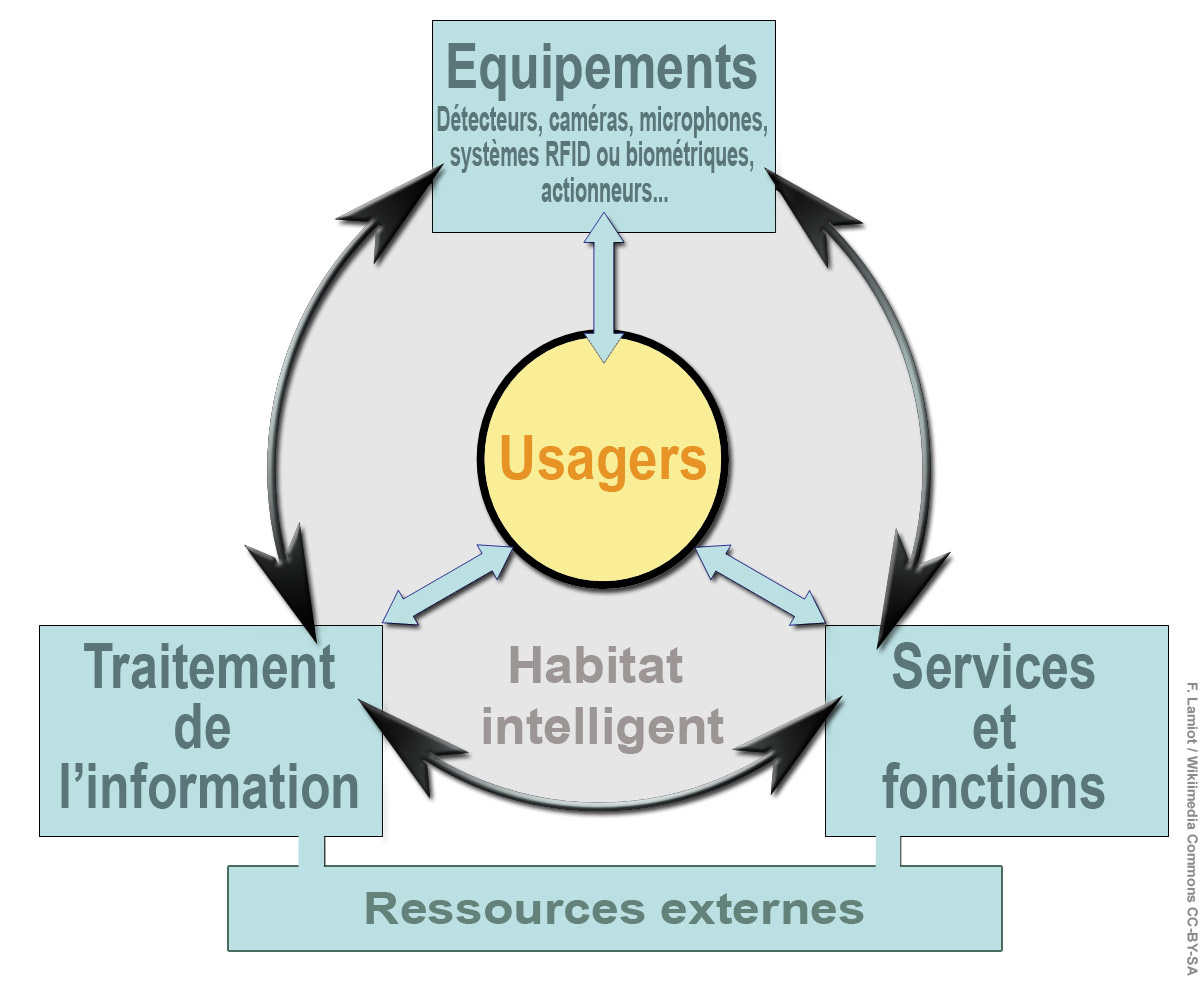
Smart home system diagram showing device and user interaction layers (Wikimedia Commons)
Setting up Alexa with Z-Wave and Zigbee devices
If using a SmartThings or Hubitat hub as a bridge:
- Add all Z-Wave and Zigbee devices to the hub using the hub's native app (SmartThings app or Hubitat admin interface).
- Enable the SmartThings or Hubitat Skill in the Alexa app.
- Authorise the Skill to access your hub's devices.
- Run device discovery in Alexa ("Alexa, discover devices").
- Organise discovered devices into rooms and groups in the Alexa app.
If using an Echo (4th gen) as a Zigbee hub directly, devices can be added through the Alexa app under Devices → Add Device → selecting the brand, without requiring a third-party hub.
Setting up Google Home with smart devices
Google Home's device setup follows a consistent pattern across brands:
- Install the device manufacturer's app first and complete setup within that app.
- Open the Google Home app and tap the + icon.
- Select "Set up device" → "Works with Google."
- Search for and select the manufacturer's service.
- Authorise the connection with your account credentials for that service.
- Devices appear in the Google Home app and can be assigned to rooms.
For Matter devices, the flow is different: scan the QR code on the device or its packaging within the Google Home app without needing the manufacturer's own app first.
Setting up Apple HomeKit
HomeKit uses a unique scan-to-pair process. Each HomeKit-certified device has an 8-digit HomeKit setup code printed on the device or its packaging. In the Home app on iPhone or iPad:
- Tap the + icon and select "Add Accessory."
- Scan the HomeKit QR code or enter the 8-digit code manually.
- Follow prompts to assign the device to a room.
A Home Hub (HomePod, HomePod mini, or Apple TV 4K) is required for remote access and automations to run when no iPhone is on the home network. Without a Home Hub, automations only trigger when a family member's iPhone is at home.
Creating automations and routines
The primary value of integrating devices into a single voice assistant ecosystem is the ability to create automations that connect different device types. Common examples:
Arrival/departure routines
When a phone leaves a geofenced home area, turn down the thermostat to setback temperature, lock the front door, and arm the security system. This works across all three ecosystems using each platform's location-based trigger capability.
Time-based schedules
Lights that turn on at sunset, thermostats that shift to night mode at 10 PM, and porch lights that shut off at sunrise can all be scheduled without manual intervention.
Cross-device triggers
A motion sensor at the front door triggers a porch light. A smoke detector alert turns on all lights in the home. A door lock unlocking triggers a camera to start recording. These multi-device automations require all devices to be within the same ecosystem, or use a bridge hub (SmartThings, Hubitat, or Home Assistant) that can federate devices across protocols and expose them to a single automation engine.
Connecting thermostats to voice assistants
Most smart thermostats connect to Alexa and Google Home through Skills/Works with Google integrations. ecobee supports Alexa natively (Alexa is built into the ecobee SmartThermostat Premium display), as well as Google Home and HomeKit. Nest thermostats work with Google Home and Alexa. Voice commands for thermostat control follow a standard pattern: "Set the thermostat to 21 degrees" or "What is the temperature?" For Celsius operation, some ecosystems require configuring the preferred temperature unit in the assistant's settings, not just the thermostat itself.
For thermostat installation details, see the smart thermostat setup guide. For camera integration, see the security camera installation guide.